
Summary: Proper networking cabling is the cornerstone of a fast, secure, and scalable business network. If it is poorly installed, then there could be cases of downtime, perhaps slow connections, and the risk of those cables not being secured. This 2025 Network Drops guide touches on common problems encountered while cabling, the steps in installation, what to avoid, and best cabling practices. From choosing devices to testing connections, it aids companies in having a reliable and future-proof infrastructure. Contact Network Drops for professional installation services.

In scaling an operation come 2025, one thing will be thrown into the limelight: your IT infrastructure is as strong as those cables running through your building.
The solutions are all tied via physical cable at one point or another. Neglecting the thought of cabling at this fundamental level will cause bottlenecks, downtime, and expensive retrofits. Hence, knowing how network infrastructure installation works and the questions concerning evaluating contractors will be critical before approving any project.
This guide covers every technical and business angle you need to know before committing to any cabling installation partner.
Cloud migration and wireless technology often relish the limelight, with structured cabling as the backbone required to enable those services. Here’s why:
Cutting corners at the cabling stage is like making a skyscraper on weak concrete. The cost of having to redo it later far outweighs the initial investment.

In the view of the SMEs, data requirements beyond the near future are often not considered, and generally, these enterprises install low-capacity cables. This creates the bottlenecks that occur when adding new devices or doing video conferencing or other cloud apps.
Solution: Use Cat6, Cat6a, or fiber optic cables for high-speed data transmission.
Messy cables curb airflow, increase maintenance difficulty, and raise fire hazards. Untidy arrangements cause trouble while troubleshooting problems.
Solution: Employ cable management trays and color-code cables, and practice correct bundling procedures.
Identifying any cables without labels in the event of repair or expansion becomes an absolute nightmare. IT teams sometimes waste hours tracing connections manually.
Solution: Label every cable with the location of the source, destination, and function for maintenance purposes.
Older cables can’t handle or allow gigabit speeds and modern networking needs. Cat5 or older cables bring slower connections, frequent disconnections, and interference.
Solution: Upgrade to Cat6 or fiber-optic cabling for a faster and reliable network.
Network cables must not be laid close to power lines, or bad shielding, in any case, causes data corruption and slower speed with signal degradation.
Solution: Keep network cables separate from power lines, and use shielded cables and ground wiring adequately.
If not handled properly, cables can bend, twist, or get crushed. They reduce efficiency. Physical damage during installation causes failures in data transmission.
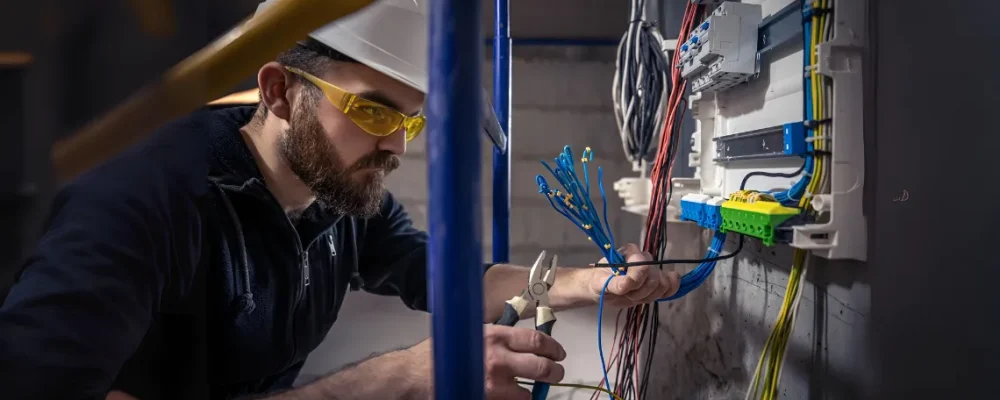
The cabling project entails more than pulling wires through ceilings. A structured series guarantees agreement, performance, and future readiness.
Different Cabling Systems in the Year 2025:
Both ends of every cable should be labeled, and a proper document should keep a tab of labels for troubleshooting and scalability.
Standard | Description | Max Speed | Typical Use Case |
Cat6 | Legacy, still seen in small offices | 1–10 Gbps (short distance) | Small networks |
Cat6A | Industry standard for new installs | 10 Gbps (100m) | Enterprise, healthcare, schools |
Cat7/7A | Shielded, niche adoption | 10–40 Gbps | Industrial / EMI-heavy sites |
Cat8 | Short runs (≤30m) | 25–40 Gbps | Data centers |
OM4/OM5 Fiber | Multimode | 100–400 Gbps | Campus LAN / backbones |
OS2 Fiber | Singlemode | >400 Gbps | Long-haul, WAN, ISPs |

Although prices will vary according to location and the size of the project, these cost factors are major:
Factor | Impact on Cost |
Cable Type (Cat6A vs Cat8 vs Fiber) | Higher category = higher material + termination costs |
Building Layout | Complex pathways, multiple floors, or retrofits add labor |
Drop Count | More workstations, access points, and devices increase the scope |
Environment | Cleanrooms, hospitals, and warehouses require specialized materials |
Testing & Certification | Professional certification tools add to the upfront cost but save on troubleshooting later |
Warranty & Support | Manufacturer-backed warranties may slightly increase the upfront cost |
Rule of thumb: Installations of Cat6A of professional standards are usually quoted between $100 and $200 per drop in 2025. Fiber backbones, however, are priced way more variably according to distance and termination types.
At this point, specifications and standards are clear. Contractors differ in the ability to execute work, documentation discipline, and long-term accountability. An ideal partner:

Network cabling is not just another IT purchase: it routes through your proximity to digital operations. When done right, it supports:
When done poorly, it is a covert liability that costs money and affects productivity.
In 2025, as you evaluate contractors, get past shiny proposals to look deeper into technical rigor, certification practices, and accountability. A decision here will bring you millions of dollars over time. Contact Network Drops.
Proper network cabling guarantees your system will run without downtime and have as little signal interference as possible.
Keep network cables away from power lines and sources of electromagnetic fields to prevent electrical interference.
Speed requirements, opportunities for further network expansion, and the environment where the cables will be installed need to be considered.
Make your network cabling future-proof by getting higher-grade cabling such as Cat6 or fiber-optic, which are in turn engineered to support very fast speeds with very much higher bandwidth.
Network cabling goes bad in an improper installation, thus jeopardizing slow speeds, security risks, and expensive rework. To avoid all these, opt for good professionals who know about it technically as well as installation-wise.
"*" indicates required fields

Scott Fcasni is the driving force behind Shock I.T. Support’s commercial datacomm cabling division, delivering expert solutions that power reliable, high-performance network infrastructures. With extensive experience in structured cabling and a commitment to precision, Scott ensures that every project—whether for small businesses or large enterprises—meets the highest standards of quality and scalability.
