
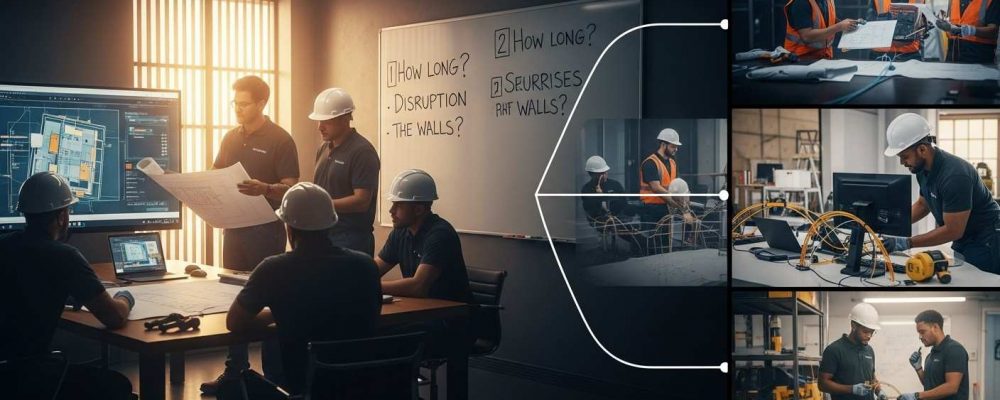
Summary: Fiber installs don’t run on fixed schedules. Buildings are different. Access is different. So timelines change. Most projects take longer to plan than to install. When planning is rushed, delays show up later. Small offices may wrap up in days. Bigger or occupied spaces take longer. The slowdowns usually come from permits, access, or old buildings, not the cable. Start early. Work with people who’ve done this before. |
Most commercial fiber optic projects do not start with cable.
They start with questions.
Those questions make sense. Commercial fiber installs aren’t simple drop-ins. The schedule depends on the space, access, and planning. Getting clear on that early is what separates a clean install from a messy one.
No two commercial buildings behave the same way. That’s the first reality to understand.
Some offices already have clean pathways and spare conduit. Others are layered with decades of undocumented cabling. Some businesses can pause operations for a day. Others cannot afford a single hour of downtime.
Fiber adoption keeps accelerating. The FCC continues to report steady growth in fiber-based broadband as businesses move more systems to the cloud. At the same time, the Bureau of Labor Statistics points out that fiber installation is specialized work. It requires trained technicians and careful coordination.
Put simply, timelines stretch when risk is managed correctly. Fast is not always better and controlled usually is.
At a high level, most commercial fiber projects follow the same path.
The physical install may look quick once crews arrive. What happens before and after usually determines whether the project stays on track.

This phase matters more than most people expect. Skipping steps here almost always adds time later.
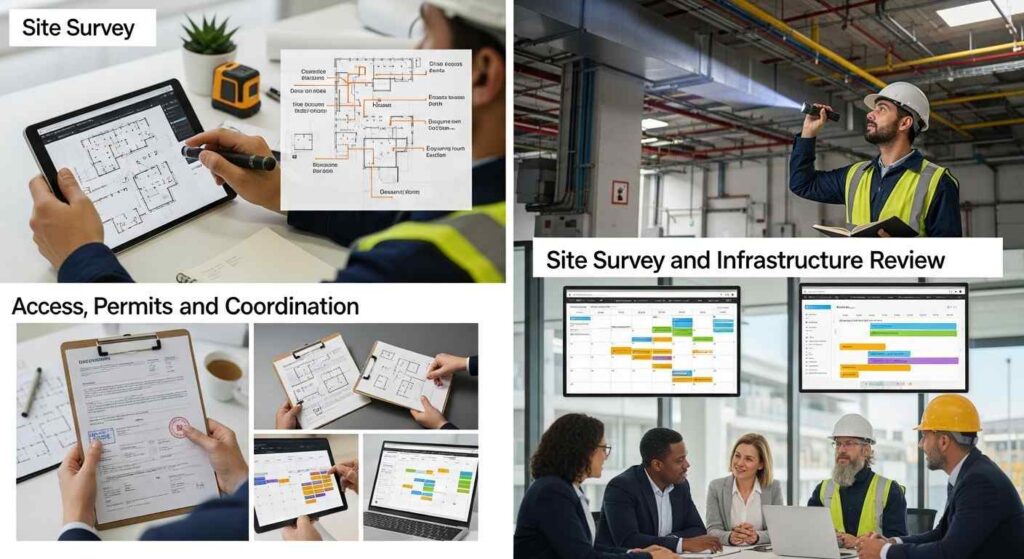
A real site survey goes beyond a walk-through.
Technicians look at how the building is laid out. They trace existing conduits. They check ceiling access, risers, equipment rooms, and entry points. They also note obstacles that do not show up on floor plans.
This step prevents surprises. And surprises are what derail schedules.
Some projects require permits. Others require approval from property management. Many require both.
Access planning also happens here. Installers need to know when and where they can work. In occupied buildings, that means coordinating around people, not just walls.
When access is unclear, timelines slip.
Design choices affect speed later.
Selecting the right fiber type. Planning routes that avoid rework. Leaving room for growth. These decisions are easier to make on paper than in a ceiling cavity.
Good design reduces on-site decision making. That keeps projects moving.

This is the phase most people picture when they think about fiber installation. It is also the phase that depends the most on everything done before it.
Before fiber moves, pathways are prepared. Conduits are cleared. Trays are installed. Penetrations are sealed. Cables are routed in a way that protects them long-term.
Clean routing does not just look better. It reduces future maintenance time and prevents damage.
Fiber is pulled carefully. Tension matters. Bend radius matters. Small mistakes here create long-term issues. Once cables are in place, splicing and termination begin. This is precision work. Rushing it leads to signal problems later.
Experienced crews work steadily. Not fast. Steady.
A project is not finished when cables are installed.
Every fiber run must be tested. Signal loss is measured. Connections are verified. Problems are fixed before the network goes live.
This step protects performance. It also protects the business from future downtime.
Good documentation saves time later.
Cable routes. Connection points. Test results. When upgrades or changes happen, these records prevent guesswork.
When documentation is missing, troubleshooting takes longer. Always.
There is no single timeline that fits every commercial fiber project. What most projects do fall into are a few realistic ranges based on building size, access, and how much preparation is already in place.
A small office with existing pathways can often be completed in a few days. Mid-size commercial buildings usually take one to two weeks. Larger facilities, or projects that need to be phased around live operations, can stretch longer.
That spread reflects complexity, not inefficiency.
Fiber installations rarely slow down because of the cable itself.
Permits can take longer than expected. Older buildings often hide blocked conduits or undocumented pathways. Scope changes during installation almost always add days. Working nights or weekends reduces disruption but can extend the overall schedule. Coordinating with other trades adds another layer of timing and dependency.
Most delays are not mistakes. They are realities that surface when planning meets the building.
Good timelines are built before crews arrive.
Clear scope prevents rework. Early planning reduces on-site decisions. Defined access windows keep work from stopping and starting. Realistic scheduling avoids rushed fixes later.
The smoother projects are the ones where expectations are aligned early.
Commercial fiber installs are not residential jobs scaled up.
They happen in live environments. Around people. Around systems that cannot go offline. Compliance rules apply. Stakeholders multiply quickly.
Installers who work in these conditions every day plan differently. They anticipate constraints. They adjust without restarting. That experience is what keeps timelines predictable, even when conditions are not.
Since 1986, Network Drops, a division of Magna5, has handled commercial network cabling projects across New Jersey and Pennsylvania.
Their process starts with assessment and design. Installations are planned to reduce disruption. Testing and documentation are built into every project.
The goal is simple. Build networks that work now and continue working later, without timeline surprises.
Fiber installation timelines are shaped long before crews arrive on-site. Planning, access, and design decide how smoothly the work goes.
When businesses understand the process, they can plan with confidence. When the right contractor is involved early, timelines stay realistic and manageable.
If you are planning a commercial fiber installation or upgrade, start with the timeline. It sets the tone for everything that follows.
Talk to Network Drops to schedule a site assessment and discuss your project timeline.
Anywhere from a few days to several weeks, depending on building size, access, and complexity.
Permits, unexpected building conditions, and late scope changes.
Yes. Many projects are scheduled evenings or weekends to avoid disruption.
Yes. Testing prevents hidden issues that cause downtime later.
Weeks in advance. Earlier for large or occupied buildings.
"*" indicates required fields
Scott Fcasni is the driving force behind Magna5’s commercial datacomm cabling division, delivering expert solutions that power reliable, high-performance network infrastructures. With extensive experience in structured cabling and a commitment to precision, Scott ensures that every project—whether for small businesses or large enterprises—meets the highest standards of quality and scalability.