
Summary : Keeping network cables clean, neat, and properly checked ensures that every system in a building works without issues. When you test, label, and repair cables regularly, you prevent major problems before they start. This also saves money, reduces repair work, and extends the network’s lifespan, so everything runs smoothly now and in the future.
A single cable issue in your office building can cause major disruption. A connector that becomes loose, a fiber cable that is bent, or a patch panel that is not labeled correctly can result in complete disconnection. This often leads to reduced productivity, increased frustration, and higher expenses.
Preventive network cabling maintenance is not fancy; it’s essential. It helps your infrastructure stay reliable, keeps security intact, and ensures your business is ready to grow with dependable network wiring services.
Consider this: structured cabling systems are projected to reach USD 36.8 billion by 2035. One study found the average cost of downtime is around USD 5,600 per minute.
With those numbers in mind, it makes sense to invest time and effort into maintenance. Let’s walk through the checklist.
Network cabling maintenance refers to inspecting and maintaining all the structured cabling within your building to ensure it is in excellent condition. This includes copper wiring of the CAT5 and CAT6 standards, fiber optic cables, voice/data installations, low-voltage systems, and their connectors.
As you maintain these systems, you perform actions such as cleaning terminations, testing signal quality, verifying labelling, checking for wear, and documenting everything.
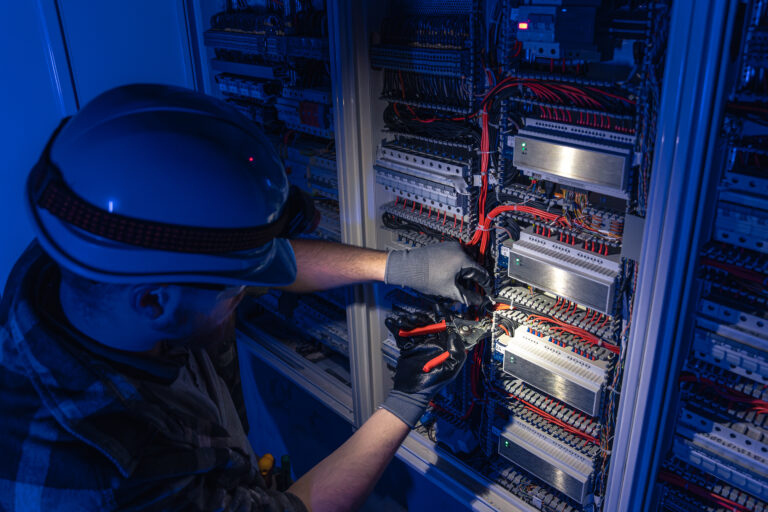
Your cabling is the foundation of connectivity: Wi‑Fi, telephones, security systems, office computing, guest Wi‑Fi in hospitality, and manufacturing networks. A fault anywhere can slow everything down.
Proactive maintenance avoids slow systems, security risks, outages, unexpected shutdowns, and expensive emergency repairs.
Especially in commercial properties; healthcare, education, hospitality, finance, standards matter. Cabling has to meet wiring standards (like ANSI/TIA‑568), and often ties into other compliance needs (for example, HIPAA in healthcare). Having a well‑maintained cabling infrastructure helps you stay audit‑ready and professional.
This guides you through mapping commercial networks, coordinating with stakeholders, and gathering the necessary tools and documentation before inspection.
Start by mapping out all your cable infrastructure. You need to understand what your network connects to. This includes the layout of the patch panel, running of backbones and horizontal cabling, and many other things.
Ask: Which areas carry the most critical traffic? Which spaces will the network depend on most? Knowing this helps you plan smarter.
You may need support from facilities management, IT, sometimes tenants, and occasionally external contractors in a commercial property. Plan for downtime, notify the interested parties, and specify the expectations. If all the stakeholders are aware of your maintenance window, the disruptions remain manageable.
You will always want the right gear like cable testers, time‑domain reflectometers (TDR), labelling tools, cleaning supplies, and documentation sheets. Also, gather existing floor plans, cable schedules, and previous installation records. Good preparation equals smoother inspection.
Details physical checks for connectors, cable pathways, trays, and labeling to prevent damage and performance loss.
Check all connector faces. Look for damage, loose pins, misalignments, discoloration, or signs of arcing. A bad termination point often causes intermittent drops or loss of signal.
Walk the cable routes. Are cables bent too sharply? Are they running alongside power lines or next to heat sources? Are trays full of dust or debris? Correct routing and support help reduce damage and performance loss.
Make sure all cables are labeled at both ends. Verify th labels match floor plans and documentation. Remove or mark retired cables. Clearly updated docs make future changes much easier and faster.
This includes testing the quality of the signal in cabling, the amount of crosstalk, the level of electromagnetic interference, and the network capacity to ensure optimal performance.
A cable tester or TDR is used to check each run. What you measure is: signal loss (attenuation), interference between pairs (crosstalk), and overall continuity. The appearance of a cable may be perfect, but any degradation will have an adverse effect on performance.
Cables near heavy machines, fluorescent lights, power lines, or motors may suffer from EMI. Relaying or shielding cables can help mitigate the problem.
Both copper and fiber cabling systems need to handle growing data demands. With the right setup and proper maintenance, your network can keep up and stay reliable for years to come.
Below are recommended methods, such as network frequency checking, organizing the network cables, and planning for future growth to keep the network in good condition.

Do not wait for a failure to happen. Set monthly or quarterly inspections (visual & physical) and annual performance tests. Small actions like dusting panels and checking connections can save big headaches.
Well‑managed cables are easier to troubleshoot and less likely to fail. Use tidy trays, consistent labelling, and color codes. Remove unused cables to avoid clutter and ensure proper airflow.
Plan for future moves, adds, and changes. Leave extra slack in conduits or trays and keep extra ports and cable runs ready. If your cabling plant is future‑ready, you’ll save time and money when changes happen.
The same text highlights the common issues, including signal weakening, physical harm, and improper recording, while also providing solutions.
Cause: long cable runs exceeding specifications, mixed cable types, poor terminations.
Fix: replace bad runs, standardize on high‑quality cable (CAT6A, fiber), and confirm length limits.
Cause: cables crushed under floors, bent beyond the bend radius, or not supported properly.
Fix: reroute, use proper trays or conduit, correct bends, add support, and protect from mechanical damage.
Cause: older installations, undocumented changes, unlabelled cables.
Fix: update all floor plans, label cables, retire old runs, and keep logs. This speeds future maintenance and audits.
Shows how to set inspection intervals, track maintenance tasks, and maintain records for consistency and compliance.
Every inspection should be logged: date, inspector name, floor/zone, findings, actions taken, and next due date. This record‑keeping is part of good maintenance.
Because you’re dealing with commercial properties in New Jersey & Pennsylvania, having a trusted partner matters. Since 1986, Network Drops has designed and built custom cabling systems optimized for speed, security, and long-term performance. With licensed technicians and infrastructure experience, you’ll benefit from expertise, consistency, and reliability.
Good network cabling maintenance is not optional, it’s essential. A well‑maintained cabling plant means fewer outages, better performance, easier changes, and long‑term value.
Don’t wait until a cable failure slows down your whole operation. Schedule a free site audit or request a detailed quote today from Network Drops’ certified team. Let us help you keep your network connected, secure, and built for tomorrow.
Visual inspection should be done once every 1-3 months. Performance testing should be done at least once a year or more often in high-use environments.
Give priority to CAT6, CAT6A, and fiber optic cords. These will not only support high bandwidth but also make your network future-proof. Also maintain voice/data and low‑voltage systems, since they tie into the same infrastructure.
It’s usually not recommended. Mixing categories (like CAT5e with CAT6A) can create performance bottlenecks and complicate maintenance. Consistency matters.
Unacceptable network speed, sudden disconnects, blinking lights on patch panels, hot/sagging cable trays, messy and unlabelled cables.
Good labels and records make troubleshooting faster, reduce downtime, help when you scale up, and support compliance audits. They save time and money.

Scott Fcasni is the driving force behind Magna5’s commercial datacomm cabling division, delivering expert solutions that power reliable, high-performance network infrastructures. With extensive experience in structured cabling and a commitment to precision, Scott ensures that every project—whether for small businesses or large enterprises—meets the highest standards of quality and scalability.
